Import Any skills.sh Skill into Bluebag in Seconds
Import any skills.sh skill into Bluebag and deploy production AI agents in minutes. Step-by-step guide for Vercel AI SDK and LangChain developers.

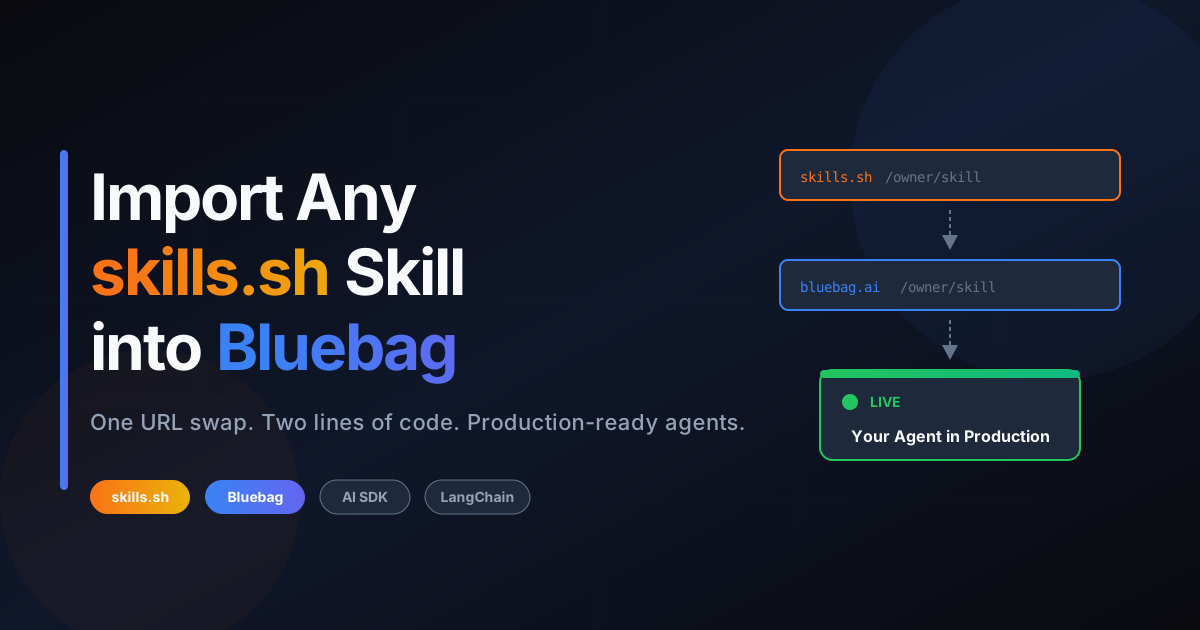
You've browsed skills.sh. You've found the perfect skill. Now you want to use it in your AI agent.
Here's how Bluebag makes that happen:
const config = await bluebag.enhance({ model, messages });
const result = streamText(config);
That's it. Your agent now has access to the skill, running in a secure sandbox with full execution capabilities.
TL;DR
- Find a skill on skills.sh
- Import it to Bluebag (one URL swap)
- Add two lines to your AI SDK code
- Deploy
Total time: under 5 minutes.
The Gap Between Discovery and Deployment
skills.sh is where you discover skills. Browse the leaderboard, sort by trending or all-time installs, find what other developers are using.
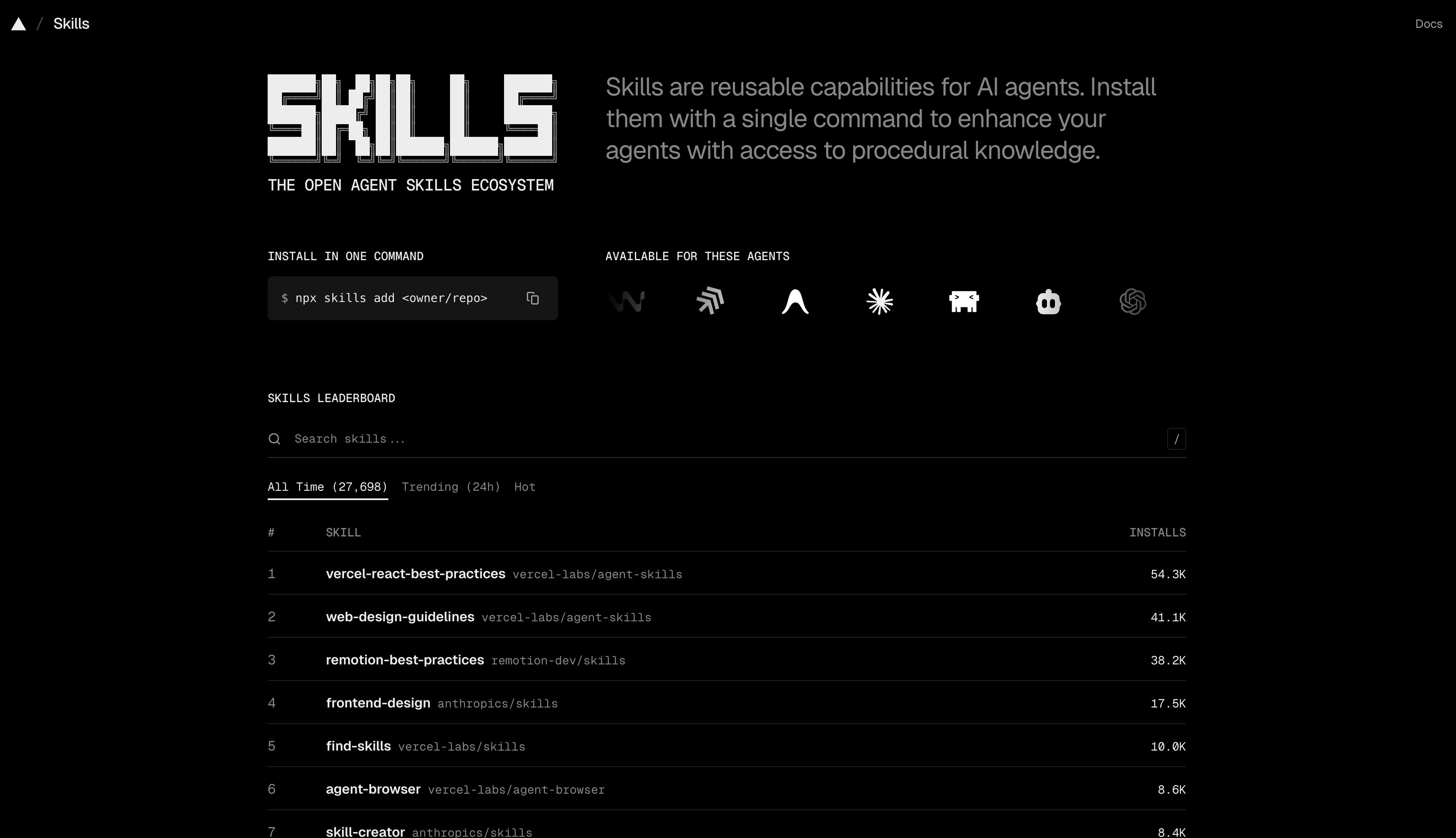
But skills need infrastructure to actually run. They need:
- A sandbox environment for script execution
- Dependency management
- File system access
- Tools injected into your agent
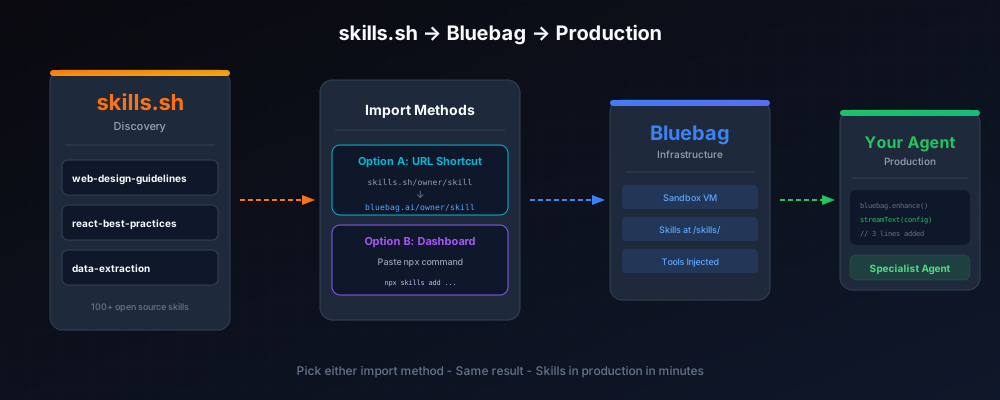
skills.sh handles discovery. Bluebag handles deployment.
Importing Skills to Bluebag
We've made it ridiculously easy. Two options:
Option A: The URL Shortcut (Fastest)
This is the quickest path. Just swap the domain.
Step 1: You're on skills.sh looking at a skill:
https://skills.sh/vercel-labs/agent-skills/web-design-guidelines
Step 2: Change skills.sh to bluebag.ai:
https://bluebag.ai/vercel-labs/agent-skills/web-design-guidelines
Step 3: Hit enter. You'll land directly in Bluebag's import flow with the skill pre-loaded. Review the files, click "Create Skill", done.
One URL change. Skill imported.
Option B: Dashboard Import
If you're already in Bluebag and want to import multiple skills:
- Go to the Bluebag Dashboard
- Navigate to Skills page
- Click Add New Skill
- Select Import from skills.sh
- Paste the
npx skills add ...command from skills.sh - Review and create
Both methods get you to the same place: your skill deployed to Bluebag, ready for your agents.
Using the Skill in Your Agent
Once imported, using the skill is two lines of code.
Vercel AI SDK
Here's your existing code:
import { streamText } from "ai";
import { openai } from "@ai-sdk/openai";

const result = streamText({
  model: openai("gpt-4o"),
  messages: messages,
  system: "You are a helpful assistant.",
});
Here's the same code with Bluebag:
import { streamText } from "ai";
import { openai } from "@ai-sdk/openai";
import { Bluebag } from "@bluebag/ai-sdk";

const bluebag = new Bluebag({
  apiKey: process.env.BLUEBAG_API_KEY,
});

const config = await bluebag.enhance({
  model: openai("gpt-4o"),
  messages: messages,
  system: "You are a helpful assistant.",
});

const result = streamText(config);
Your agent now has access to every skill you imported. When a user's request matches a skill, your agent automatically:
- Reads the skill's documentation
- Follows the defined workflow
- Executes scripts in a secure sandbox
- Returns consistent results
Works with streamText, generateText, generateObject, any AI SDK method.
LangChain
Same pattern, different SDK:
npm install @bluebag/langchain langchain @langchain/openaiimport { createAgent } from "langchain";
import { HumanMessage } from "@langchain/core/messages";
import { Bluebag } from "@bluebag/langchain";
const bluebag = new Bluebag({
apiKey: process.env.BLUEBAG_API_KEY,
});
const config = await bluebag.enhance({
model: "openai:gpt-4o",
tools: [yourCustomTool],
systemMessage: "You are a helpful assistant.",
messages: [new HumanMessage("Review this component")],
});
const agent = createAgent({
model: config.model,
tools: config.tools,
systemPrompt: config.systemMessage,
});
const result = await agent.invoke({ messages: config.messages });Same skills. Different framework.
Scoping Skills with activeSkills
Have multiple skills but only want certain ones active?
const bluebag = new Bluebag({
  apiKey: process.env.BLUEBAG_API_KEY,
  activeSkills: ["web-design-guidelines", "react-best-practices"],
});
Only those skills load into context. Keeps your agent focused and your token usage lean.
Need per-user isolation? Use stableId:
const bluebag = new Bluebag({
  apiKey: process.env.BLUEBAG_API_KEY,
  stableId: user.id, // Each user gets isolated sandbox
});
Real Example: Code Review Agent
Let's build something. A code review agent using skills from skills.sh.
Step 1: Import the Skills
Using the URL shortcut:
https://bluebag.ai/vercel-labs/agent-skills/vercel-react-best-practices
https://bluebag.ai/vercel-labs/agent-skills/web-design-guidelines
Step 2: Create the API Route
// app/api/review/route.ts
import { streamText } from "ai";
import { openai } from "@ai-sdk/openai";
import { Bluebag } from "@bluebag/ai-sdk";

const bluebag = new Bluebag({
  apiKey: process.env.BLUEBAG_API_KEY,
  activeSkills: ["vercel-react-best-practices", "web-design-guidelines"],
});

export async function POST(req: Request) {
  const { messages } = await req.json();

  const config = await bluebag.enhance({
    model: openai("gpt-4o"),
    messages,
    system: `You are a senior frontend engineer.
Use the available skills to review code for best practices and accessibility.`,
  });

  return streamText(config).toDataStreamResponse();
}
Step 3: Deploy
Push to Vercel. Your agent now handles code review workflows.
Ask it:
- "Review this React component"
- "Check this form for accessibility"
- "Does this follow design guidelines?"
Each request uses the appropriate skill. Results are consistent every time.
Why Bluebag + skills.sh
No Infrastructure to Build
Skills run in isolated Bluebag sandboxes. Dependencies managed. Scripts execute securely. You write zero infrastructure code.
Composable
Mix skills from different authors. A support agent might use ticket-classification + response-generation + escalation-procedures. Import them all, scope with activeSkills.
Production-Ready
This isn't a demo setup. Bluebag handles VM provisioning, session persistence, file storage, and automatic cleanup. You focus on your product.
Getting Started
npm install @bluebag/ai-sdkimport { Bluebag } from "@bluebag/ai-sdk";
const bluebag = new Bluebag({ apiKey: process.env.BLUEBAG_API_KEY });
const config = await bluebag.enhance({ model, messages, system });- Browse skills.sh and find a skill
- Swap
skills.sh→bluebag.aiin the URL to import - Get your API key from the Bluebag Dashboard
- Add two lines to your code
- Ship
skills.sh is for discovery.
Bluebag is for deployment.
Two lines of code. One URL swap. Your agent becomes a specialist.
Resources
- skills.sh — Browse 100+ open-source skills
- Bluebag Dashboard — Import skills and get your API key
- Bluebag Docs — Full SDK documentation
- Agent Skills Spec — The open standard
Built something with Bluebag + skills.sh? Tag us @BluebagAI — we share what you ship.