Import Any GitHub Skill Repo into Bluebag
Import skills from any public GitHub repository into Bluebag. One URL swap from github.com to bluebag.ai. Auto-discovery, bulk import, and instant deployment for your AI agents.

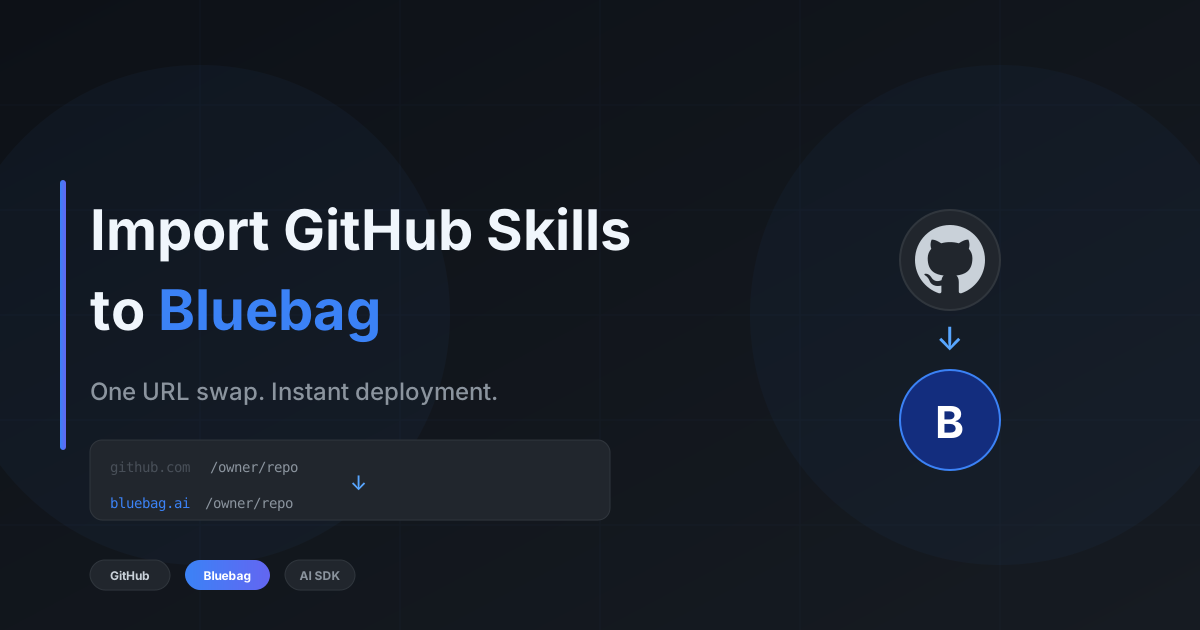
You found a skill on GitHub. Maybe it's in someone's agent-skills monorepo. Maybe it's a standalone repo with a single powerful skill. Maybe it's Vercel's official collection.
Here's how to get it into Bluebag:
Change github.com to bluebag.ai. That's it.
# Before
https://github.com/vercel-labs/agent-skills/tree/main/react-best-practices

# After
https://bluebag.ai/vercel-labs/agent-skills/tree/main/react-best-practices
Hit enter. Review the files. Click import. Your agent can now use it.
TL;DR
- Find a skill on any public GitHub repo
- Swap
github.com→bluebag.aiin the URL - Auto-discovery finds all skills (or use the exact path)
- Bulk import multiple skills at once
- Deploy with two lines of code
Three Ways to Import from GitHub
Option A: URL Shortcut (Fastest)
The fastest path. Copy the GitHub URL, swap the domain.
Exact skill path:
https://bluebag.ai/vercel-labs/agent-skills/tree/main/web-design-guidelines
Direct import. No discovery needed. Review and create.
Repo or directory root:
https://bluebag.ai/vercel-labs/agent-skills
Bluebag auto-discovers all skills in the repo. Select one, select multiple, or select all.
Branch-specific:
https://bluebag.ai/owner/repo/tree/develop/skills/my-skill
Works with any branch. The URL structure mirrors GitHub exactly.
Option B: Dashboard Import
Already in the Bluebag dashboard? Use the GitHub import directly:
- Go to Bluebag Dashboard
- Navigate to Skills → Add New Skill
- Select GitHub
- Paste any GitHub URL
- Bluebag discovers skills automatically
- Select and import
Option C: SKILL.md Direct Link
Found a SKILL.md file on GitHub? Link directly to it:
https://bluebag.ai/owner/repo/blob/main/skills/my-skill/SKILL.md
Bluebag recognizes the pattern and imports the parent skill directory.
Auto-Discovery: Finding Skills in Repos
Not sure what's in a repo? Just point Bluebag at it.
https://bluebag.ai/vercel-labs/agent-skills
Bluebag scans the repository and finds every valid skill. Each skill must have:
- A
SKILL.mdfile (the skill definition) - Optional supporting files (scripts, configs, etc.)
You'll see a list of discovered skills with names and paths. From there:
- Single skill? Goes straight to preview
- Multiple skills? Select which ones to import
- Want them all? Hit "Select All" and bulk import
Bulk Import: Multiple Skills at Once
Importing a collection? Select multiple skills and Bluebag handles them sequentially:
- Fetch content for each skill
- Create the skill record
- Upload all files
- Verify completion
Each skill shows real-time progress. Failures don't block the others.
Using Imported Skills
Once imported, skills are immediately available to your agents.
Vercel AI SDK
import { streamText } from "ai";
import { openai } from "@ai-sdk/openai";
import { Bluebag } from "@bluebag/ai-sdk";

const bluebag = new Bluebag({
  apiKey: process.env.BLUEBAG_API_KEY,
});

const config = await bluebag.enhance({
  model: openai("gpt-4o"),
  messages: messages,
  system: "You are a helpful assistant.",
});

const result = streamText(config);
LangChain
import { createAgent } from "langchain";
import { Bluebag } from "@bluebag/langchain";

const bluebag = new Bluebag({
  apiKey: process.env.BLUEBAG_API_KEY,
});

const config = await bluebag.enhance({
  model: "openai:gpt-4o",
  tools: [],
  systemMessage: "You are a helpful assistant.",
  messages,
});

const agent = createAgent({
  model: config.model,
  tools: config.tools,
  systemPrompt: config.systemMessage,
});
Same pattern. Same two lines. Your agent gains capabilities without infrastructure changes.
Supported URL Patterns
Bluebag handles all standard GitHub URL formats:
| URL Format | What Happens |
|---|---|
bluebag.ai/owner/repo | Auto-discovers all skills in the repo |
bluebag.ai/owner/repo/tree/main | Auto-discovers skills from branch root |
bluebag.ai/owner/repo/tree/main/path/to/skill | Direct import of specific skill |
bluebag.ai/owner/repo/blob/main/path/SKILL.md | Direct import from SKILL.md file |
Real Example: Importing Vercel's Official Skills
Let's import multiple skills from Vercel's agent-skills repo.
Step 1: Navigate to the repo shortcut:
https://bluebag.ai/vercel-labs/agent-skills
Step 2: Bluebag discovers 5+ skills:
react-best-practicesweb-design-guidelinesaccessibility-checkerperformance-optimization- And more...
Step 3: Click "Select All" → "Import Selected"
Step 4: Watch them import one by one:
✓ react-best-practices        — imported
✓ web-design-guidelines       — imported
⟳ accessibility-checker       — uploading...
○ performance-optimization    — pending
Step 5: All done. Use them in your agent:
const bluebag = new Bluebag({
  apiKey: process.env.BLUEBAG_API_KEY,
  activeSkills: [
    "react-best-practices",
    "web-design-guidelines",
    "accessibility-checker",
  ],
});
Total time: under 2 minutes for five production-ready skills.
Why Import from GitHub?
Open Source Skills
The community is building skills. Vercel published their internal agent-skills as open source. Others are following. GitHub is becoming the distribution channel.
Fork and Customize
Import a skill, then fork the original repo to make it your own. Update your import when you push changes.
Private Repos (Coming Soon)
Currently supports public repos. GitHub App integration for private repositories is on the roadmap.
Version Control
Skills are imported at a specific commit SHA. You get reproducible builds. Update when you're ready.
What Makes a Valid Skill?
Bluebag looks for directories containing a SKILL.md file. The SKILL.md follows the Agent Skills Spec:
# my-skill

Description of what this skill does.

## Workflow

Steps the agent should follow...

## Scripts

Available scripts and what they do...
Any directory with a valid SKILL.md becomes an importable skill. Supporting files (scripts, configs, etc.) are included automatically.
Getting Started
npm install @bluebag/ai-sdk- Find a skill on GitHub
- Swap
github.com→bluebag.ai - Select and import
- Get your API key from Bluebag Dashboard
- Add two lines to your code
- Ship
GitHub is where skills live.
Bluebag is where skills run.
One URL swap. Your agent becomes a specialist.
Resources
- Bluebag Dashboard — Import skills and get your API key
- Bluebag Docs — Full SDK documentation
- Agent Skills Spec — The open standard
- Vercel Agent Skills — Official Vercel collection
- skills.sh — Browse community skills
Have questions or feedback? Reach out @BluebagAI.